
🎮 Tenchu - Fatal Shadows
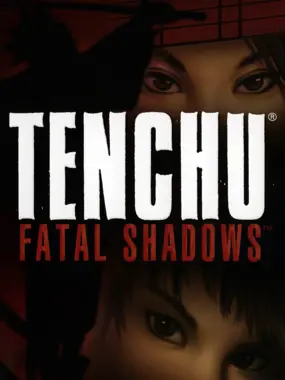
Tenchu - Fatal Shadows
PlayStation 2 · Native play via PCSX2
1. Download KhoGameHub PC Launcher (once)
2. Run it (next → next → finish)
3. Click Play on PC — game launches automatically
4. PCSX2 downloads automatically on first launch


Open Related Rooms
Finding any related Room...
Description
Tenchu - Fatal Shadows brings players back into the stealthy shoes of assassins Rikimaru and Ayame, as they embark on a mission filled with tension and strategy. This iconic installment in the Tenchu series features enhanced graphics, an expanded story, and multiple new gameplay elements, allowing players to create their own sneak attacks and navigate through enemy territories. With a strong focus on tactical gameplay and an engaging narrative, this title immerses players in feudal Japan's hidden world of ninjas, balancing methodical approach with thrilling action.
Tags: stealth action adventure single player classic difficulty🔵 PS2 Play Guide
- Install KhoGameHub Launcher (once only) — PCSX2 will be downloaded automatically on first play. Click Play on PC (PCSX2), the game opens automatically.
- Android: Install the KhoGameHub app → tap Open in App to play directly.
- Controls: Plug in a gamepad (Xbox/DualShock both work). Switch controller type using the toggle button on the page.
💾 Saving
PCSX2 uses a virtual memory card — save in-game like a real PS2. Save state: F1 (save) / F3 (load).
⚙️ PCSX2 Settings
- Graphics → Renderer: Select Vulkan (best) or Direct3D 12/11 if Vulkan fails.
- Internal Resolution: 2x Native (1440p) or 3x/4x on powerful hardware — sharp image, eliminates PS2's blocky pixels.
- Texture Filtering: Bilinear (forced) for smoother textures.
- Anisotropic Filtering: 8x or 16x for clearer distant scenery.
- Widescreen Patches: Settings → Patches → enable Widescreen if available (not all games support it).
- Speedhacks: Settings → Emulation → EE Cycle Rate: -1 or -2 if games run slowly on weak hardware.
- BIOS: The Launcher installs BIOS automatically on first run — no extra steps needed.
🎮 Controller Setup
Settings → Controllers → Port 1 → DualShock 2 → Configure. DualShock/DualSense works via USB or Bluetooth. Analog mode: press the center LED button to activate sticks.
💿 Multi-disc Games
The game starts from disc 1. To switch discs: in PCSX2 → System → Change Disc → select the disc2.chd file in the cache folder.
🖥️ Hardware Requirements — PCSX2 Qt (modern build)
✅ PCSX2 Qt build (1.7+) is very lightweight and well-optimized — mid-range laptops from 2016+ can run most PS2 games at native resolution.
| Component | ⚠️ Minimum (native res) | ✅ Recommended (2x–4x upscale) |
|---|---|---|
| 🪟 Windows / 🐧 Linux | ||
| CPU | Dual-core 2.4 GHz with SSE2 (i3-3xxx / FX-4xxx) | i5-6400 / Ryzen 5 1600 · 3.2 GHz+ |
| RAM | 2 GB | 4 GB DDR4 |
| GPU | Intel HD 4000 / any GPU with OpenGL 3.0 / DX10 | GTX 1060 / RX 580 (Vulkan) — for 3x–4x upscaling |
| Storage | HDD | SSD — faster CHD decode on first game load |
| OS | Windows 8.1 64-bit / Ubuntu 18.04 | Windows 10/11 64-bit / Ubuntu 22.04+ |
| 🤖 Android (AetherSX2 / NetherSX2) | ||
| SoC | Snapdragon 600+ / mediatek p70 (native res) | Snapdragon 845 / Dimensity 820+ (2x upscale) |
| RAM | 3 GB · Android 8.0+ | 4 GB · Android 10+ |
* Heavy games like God of War 2, Shadow of the Colossus need ~3.0 GHz+ single-thread CPU for 60fps. 2D/simple games run well even on minimum spec.



Comments(0)