
🎮 Frogger


Open Related Rooms
Finding any related Room...
Description
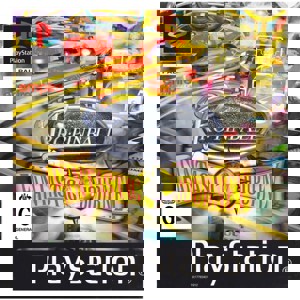
Frogger distills arcade thrills into a tense, timing-based challenge where you shepherd a frog across busy highways and treacherous river streams. Simple hop controls mask punishing patterns: dodging traffic, leaping onto moving logs and turtles, and racing the clock to reach safe lily pads. Each level ramps up with faster vehicles, disappearing platforms and tighter windows for survival, turning short runs into addictive high-score hunts. The game's relentless rhythm and instant restarts deliver a classic, pick-up-and-play loop that rewards pattern recognition, precision, and patience—perfect for quick sessions or nostalgic dives into old-school arcade stress.
Tags: arcade classic top-down single player classic difficulty puzzle action🎮 Netplay Guide (Play Online with Friends)
-
Set your player name
Before starting, enter your player name so others can recognize you in the room. -
Create a room
Click Netplay → Create Room, then choose a room name. It is recommended to name the room after the game you are playing (e.g. Super Mario World) so other players can find it easily. You may also set a password for a private room. -
Join a room
Make sure you open the same game as the host. Click Netplay, then select Join Room from the room list and join the desired room.
⚠️ Note: Netplay works best when all players use the same game version and have a stable internet connection.
Controls:
For the best retro experience 🎮, a gamepad is recommended. You can customize controls in the Settings Menu.
Note: Press any button on your gamepad so the emulator can detect it.
🕹️Gamepad compatibility:
- Xbox-style (XInput): Works best on most browsers and devices.
- PlayStation DualShock / DualSense: Supported on many games, but button mapping may vary depending on the game, emulator core, browser, and operating system.
🕹️Recommended browsers:
- Chromium-based browsers (Chrome, Edge, Brave): Best performance and controller support.
- Safari (macOS / iOS): Good support for Bluetooth controllers.
- Firefox: Not recommended for gamepad play due to inconsistent controller mapping and limited Gamepad, Sound API behavior.
🕹️How to set up controls:
- PC (Windows / macOS): Connect your controller → start the game → Settings → Controls → map buttons.
- Android: Pair via Bluetooth or USB-OTG → launch the game → Settings → Controls.
- iOS (Safari): Use a compatible Bluetooth controller → open the game → configure controls in the Settings Menu.
🕹️ Controller Mode (PlayStation Games):
Some older PlayStation games were designed for the original Standard controller and may not work correctly in Analog/DualShock mode.
If you experience issues such as the Start button not responding or controls not working properly:
Settings → Input → Controller Type → Standard
By default, the emulator uses Analog/DualShock mode to support vibration (rumble) in compatible games. After switching to Standard, restart the game.
This also applies when using a keyboard or the on-screen virtual pad on Android, as some games may not detect inputs correctly while Analog/DualShock mode is enabled.
💾 Save & Load Guide
Don't lose your progress! You have two ways to manage your game states:
- Auto-Save (Browser Storage): By default, your progress is automatically saved to your browser's local storage. You can pick up right where you left off the next time you visit, provided you do not clear your browser cache.
-
Manual Save/Load (Export to File): For maximum safety and playing across different devices, you can export your save data:
- Open the Settings Menu in the emulator.
- Select "Save State" to download your progress as a file (usually .state) to your device.
- To resume, simply use "Load State" and select that file to continue playing.
⚠️ Note: We highly recommend exporting your save file frequently to avoid losing data due to browser updates or accidental cache clearing.




Comments(0)